
RGB Split Effect
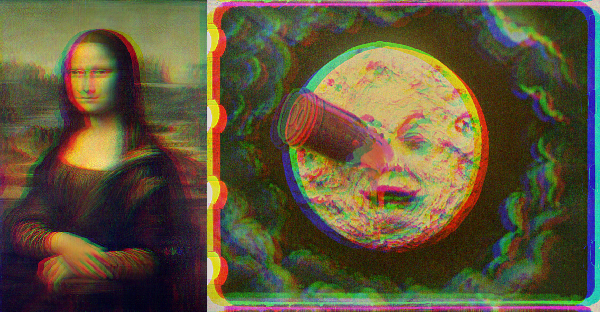
This is a free online tool that allows you to create RGB split effect in images.
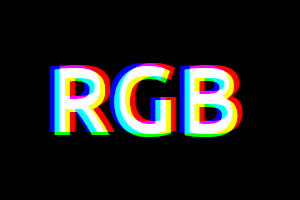
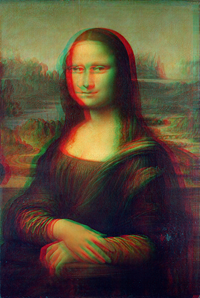
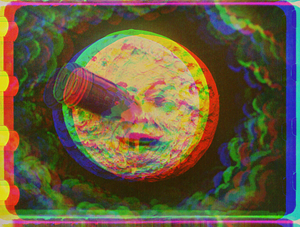
RGB split effect, also known as RGB shift or chromatic aberration, is a visual effect that works by separating the red, green and blue color channels of images and adjusting X and Y offsets, to create glitch-like effects.
Transform images by applying RGB split filter.
Drop your image here
How to create an RGB split effect?
- Upload the photo that you want to apply the effect. The image will load in the canvas below and the options will appear beside the image.
- In the options, adjust the offsets of each color channel (red, green and blue). You can use the sliders to ajust RGB offsets both horizontally (offset X) and vertically (offset Y). You can also type the offsets in the textboxes.
- If you want an offset to be greater than 20 or lower than -20, you will need to use the textboxes, since the sliders are limited in the range (-20,20).
- Once you are satisfied with the result, click button "Download image".
Examples
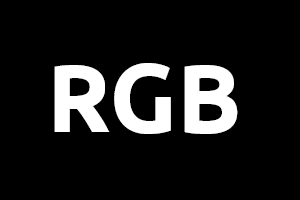
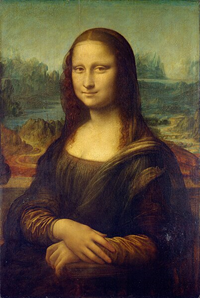
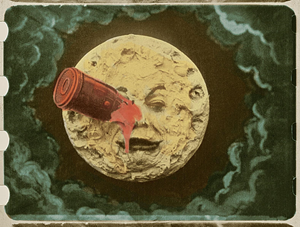
Below are some examples of the RGB split effect created with this online tool, together with the parameters used.
| Original image | Image with the RGB split effect | Parameters | ||||||||||||
|---|---|---|---|---|---|---|---|---|---|---|---|---|---|---|
 |  |
| ||||||||||||
 |  |
| ||||||||||||
 |  |
|
Configuration parameters
Below are the parameters you can configure when creating an RGB Split Effect.
| Field | Description |
|---|---|
| Red offset X | The horizontal offset of the red color channel, in pixels. |
| Red offset Y | The vertical offset of the red color channel, in pixels. |
| Green offset X | The horizontal offset of the green color channel, in pixels. |
| Green offset Y | The vertical offset of the green color channel, in pixels. |
| Blue offset X | The horizontal offset of the blue color channel, in pixels. |
| Blue offset Y | The vertical offset of the blue color channel, in pixels. |